
Create eLearning that feels like a design team built it
Mindsmith's tile-based editor and AI tools help you build polished, interactive lessons. No design skills or complex tooling required.
Join 16,000+ eLearning Designers









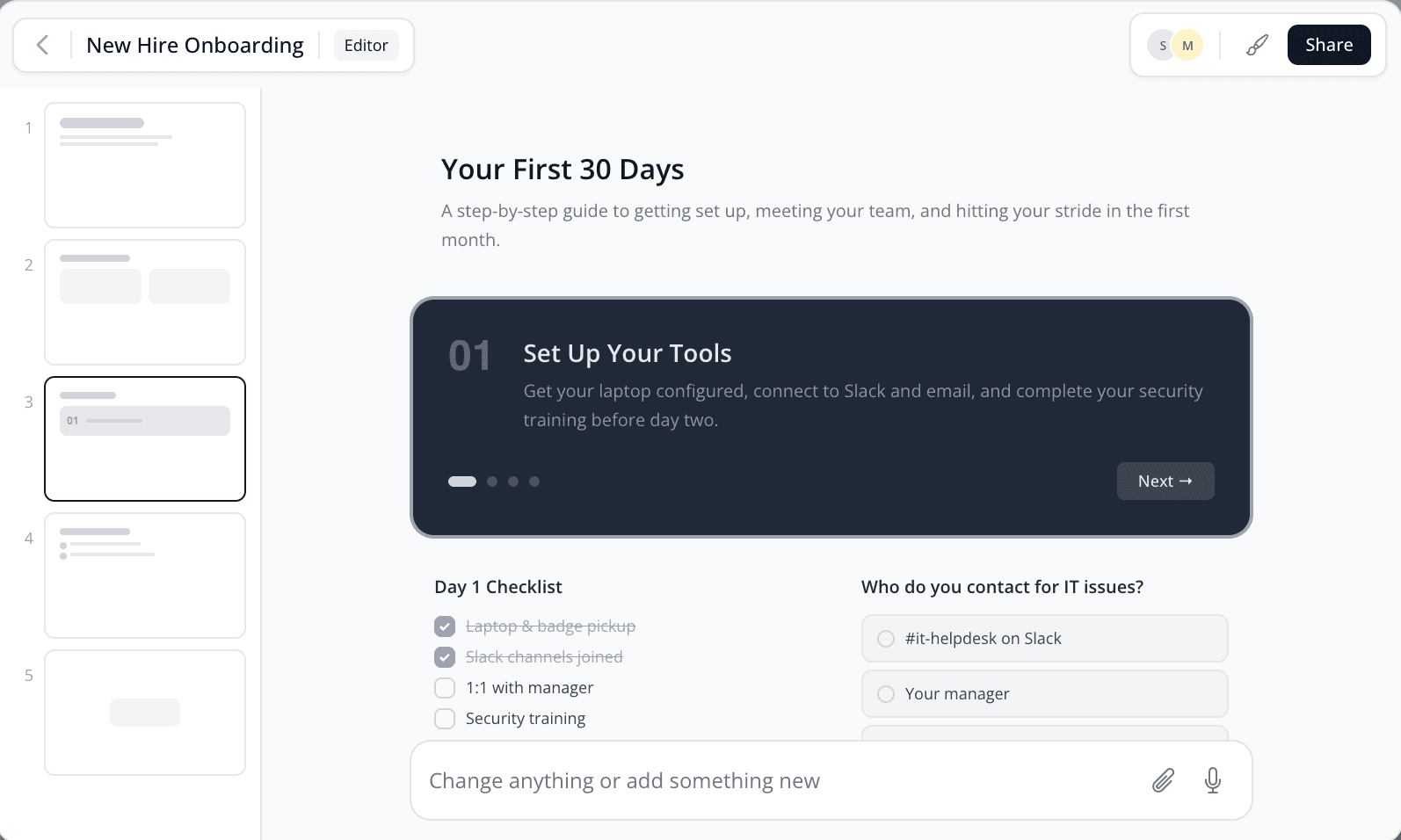
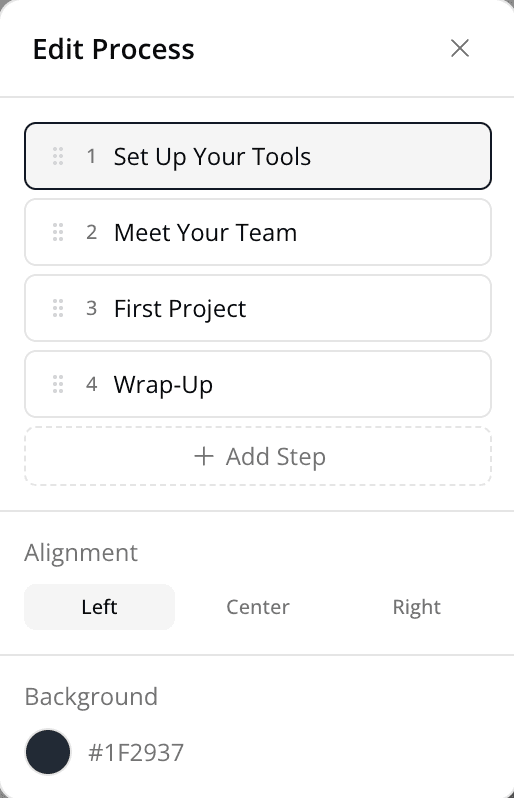
Structured enough to move fast. Flexible enough to make it yours.
Mindsmith's tile-based editor gives you the guardrails to create polished content quickly — without locking you into rigid templates. Drag and drop interactive elements, rearrange sections, customize the look and feel, and let AI handle the parts that slow you down.
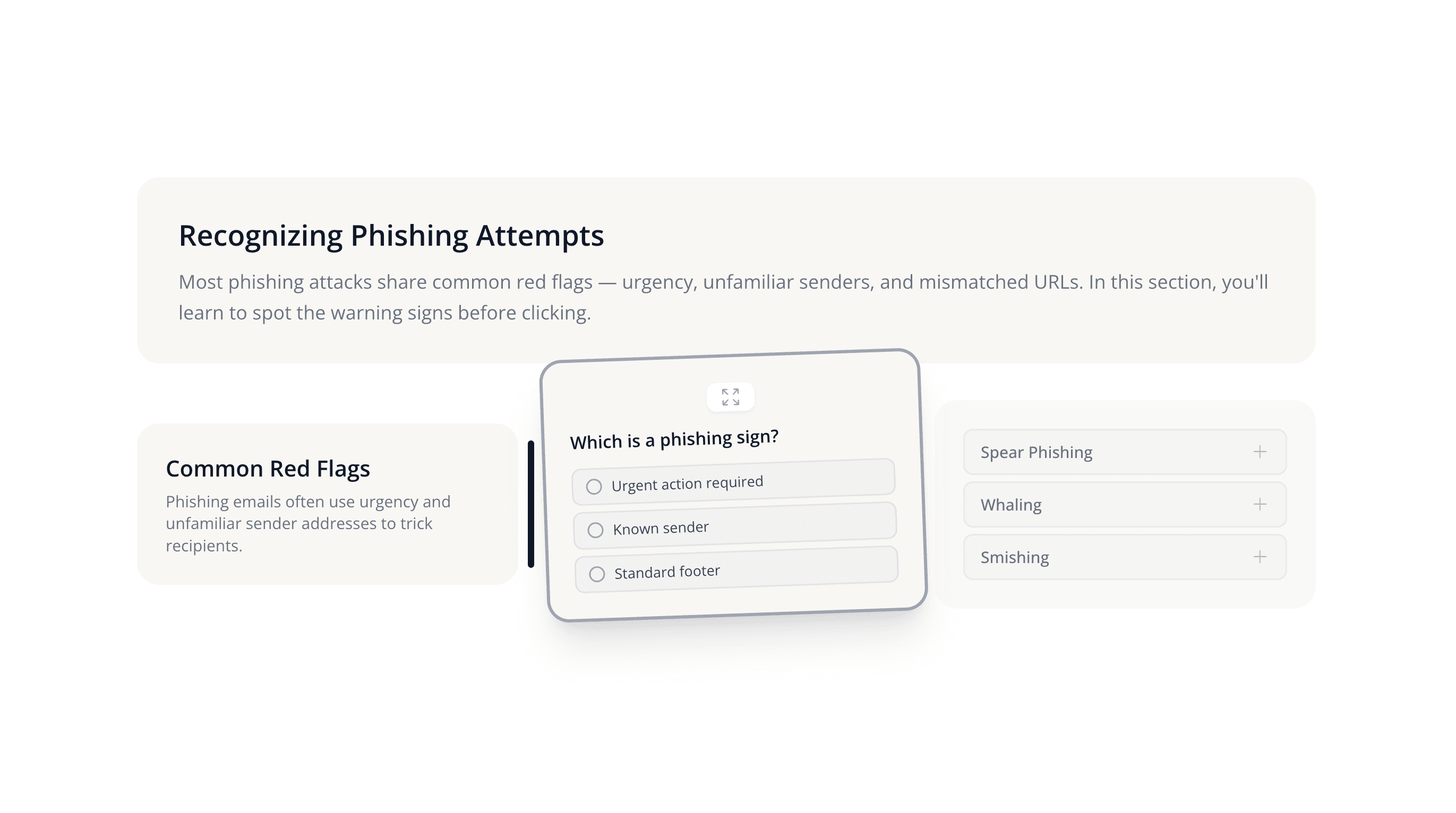
Every element you need to make learning stick
Go beyond text and images. Mindsmith gives you a full library of interactive, drag-and-drop tiles designed for engagement — and they all work beautifully on any device.
Rich text with formatting, links, and inline media.
Large page title to introduce a section.
Section heading to structure your content.
Secondary heading for subsections.
Highlight a quote with attribution.
Rows and columns to organize data clearly.
Numbered or bulleted steps and key points.
Highlighted callout box for tips or warnings.
Syntax-highlighted code blocks.
Horizontal rule to separate content.
Blank space to control layout rhythm.
Full-width banner to divide lesson sections.
Visualize events or milestones in sequence.
Photos, illustrations, and graphics.
Before/after slider to compare two images.
Swipeable gallery of multiple images.
Stream or upload video with captions.
Playable audio with transcript support.
Attach downloadable files for learners.
Embed custom HTML, CSS, or JavaScript.
Rich text with formatting, links, and inline media.
Large page title to introduce a section.
Section heading to structure your content.
Secondary heading for subsections.
Highlight a quote with attribution.
Rows and columns to organize data clearly.
Numbered or bulleted steps and key points.
Highlighted callout box for tips or warnings.
Syntax-highlighted code blocks.
Horizontal rule to separate content.
Blank space to control layout rhythm.
Full-width banner to divide lesson sections.
Visualize events or milestones in sequence.
Photos, illustrations, and graphics.
Before/after slider to compare two images.
Swipeable gallery of multiple images.
Stream or upload video with captions.
Playable audio with transcript support.
Attach downloadable files for learners.
Embed custom HTML, CSS, or JavaScript.
Embed external sites, apps, or widgets.
Single-answer quiz with feedback.
Open-ended text response with AI grading.
Star ratings and optional comments.
Check-all-that-apply question format.
Drag to reorder items in the correct sequence.
Pair related items together.
Clickable actions for navigation or links.
Flip cards for study and recall practice.
Expandable sections to reveal content on click.
Tabbed panels to organize grouped content.
Step-by-step walkthrough with intro and outro.
Swipeable one-at-a-time flashcard deck.
Clickable hotspots overlaid on an image.
Drag-and-drop items into the right categories.
Bar, line, pie, and other data visualizations.
AI-powered voice dialogue practice.
Choose-your-own-path decision trees.
Video with text, image, and speaker overlays.
Immersive hands-on learning experiences.
Embed external sites, apps, or widgets.
Single-answer quiz with feedback.
Open-ended text response with AI grading.
Star ratings and optional comments.
Check-all-that-apply question format.
Drag to reorder items in the correct sequence.
Pair related items together.
Clickable actions for navigation or links.
Flip cards for study and recall practice.
Expandable sections to reveal content on click.
Tabbed panels to organize grouped content.
Step-by-step walkthrough with intro and outro.
Swipeable one-at-a-time flashcard deck.
Clickable hotspots overlaid on an image.
Drag-and-drop items into the right categories.
Bar, line, pie, and other data visualizations.
AI-powered voice dialogue practice.
Choose-your-own-path decision trees.
Video with text, image, and speaker overlays.
Immersive hands-on learning experiences.
Go beyond tiles with immersive learning experiences
Tiles are the building blocks. Experiences are the next level — interactive, non-linear content that puts learners in the driver's seat.
Branching Scenarios
Build choose-your-own-adventure learning paths with a visual node editor. Drag and connect decision points, add consequences, and let learners navigate based on their choices.
AI Video
Create explainer videos with AI-generated talking heads, text overlays, and scene editing — a lightweight video editor built for eLearning, right inside Mindsmith.
AI Conversations
Create AI-powered dialogue simulations where learners practice real conversations — sales calls, difficult feedback, customer support — with an AI that adapts to their responses.
Software Simulations
Walk learners through software workflows with interactive, step-by-step screen recordings. Learners click through the actual interface instead of watching a video.
An AI co-author that makes you better, not just faster
Real-time author feedback
Mindsmith's AI reviews your content for sentence clarity, tone consistency, instructional alignment, and accessibility — catching issues before your learners do.
AI-powered assessment grading
Build short-answer questions and let AI grade free-text responses. Learners get meaningful feedback on open-ended answers — not just "correct" or "incorrect."
AI narration & audio
Generate professional narration for any lesson with AI voices from ElevenLabs and OpenAI. Choose from multiple voices and accents. No recording studio required.
AI image generation
Create custom visuals directly in the editor using cutting-edge models. Need an illustration for a safety scenario? Generate it in seconds instead of hunting through stock libraries.
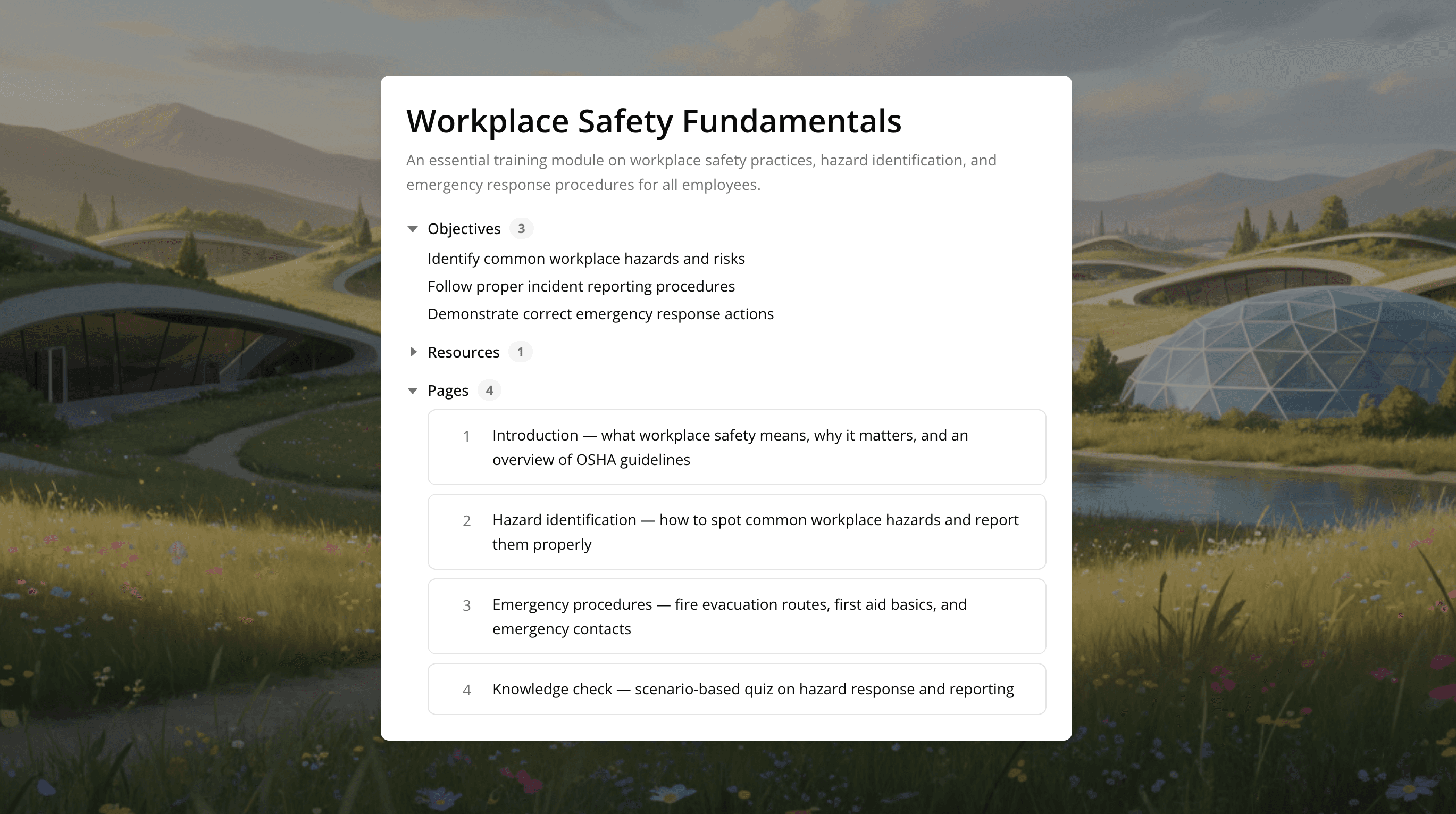
Storyboard your lesson before diving into details
Start with structure, not slides. Mindsmith's storyboard lets you map out your lesson flow. Objectives, sections, key interactions. Before you commit to content. Rearrange, iterate, and get the shape right first. When you're ready, convert your storyboard into a full lesson with one click.
Co-author in real time. Review without email chains.
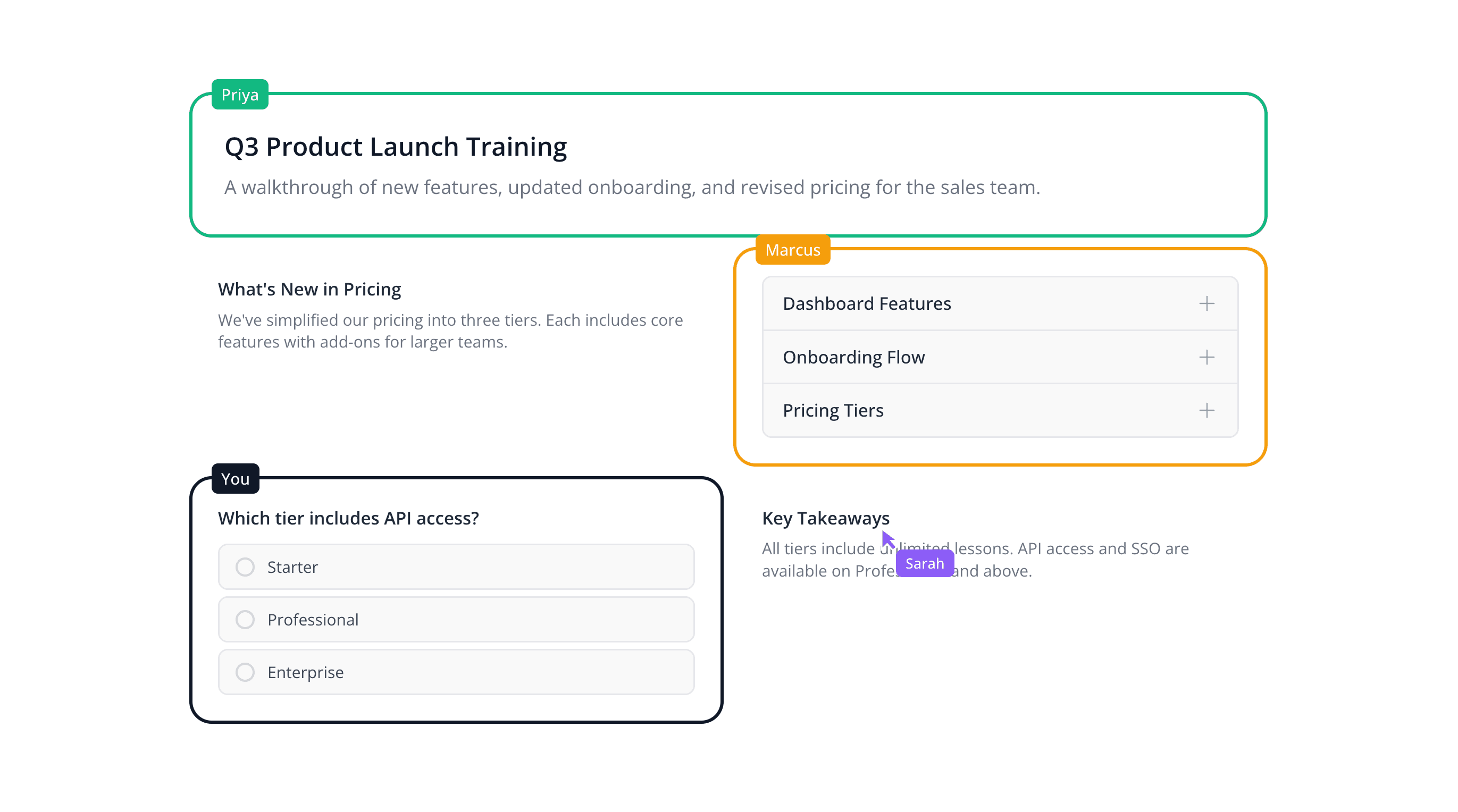
Real-time co-authoring
Multiple authors can edit the same lesson at the same time. See live cursors, track who's working where, and avoid version conflicts.
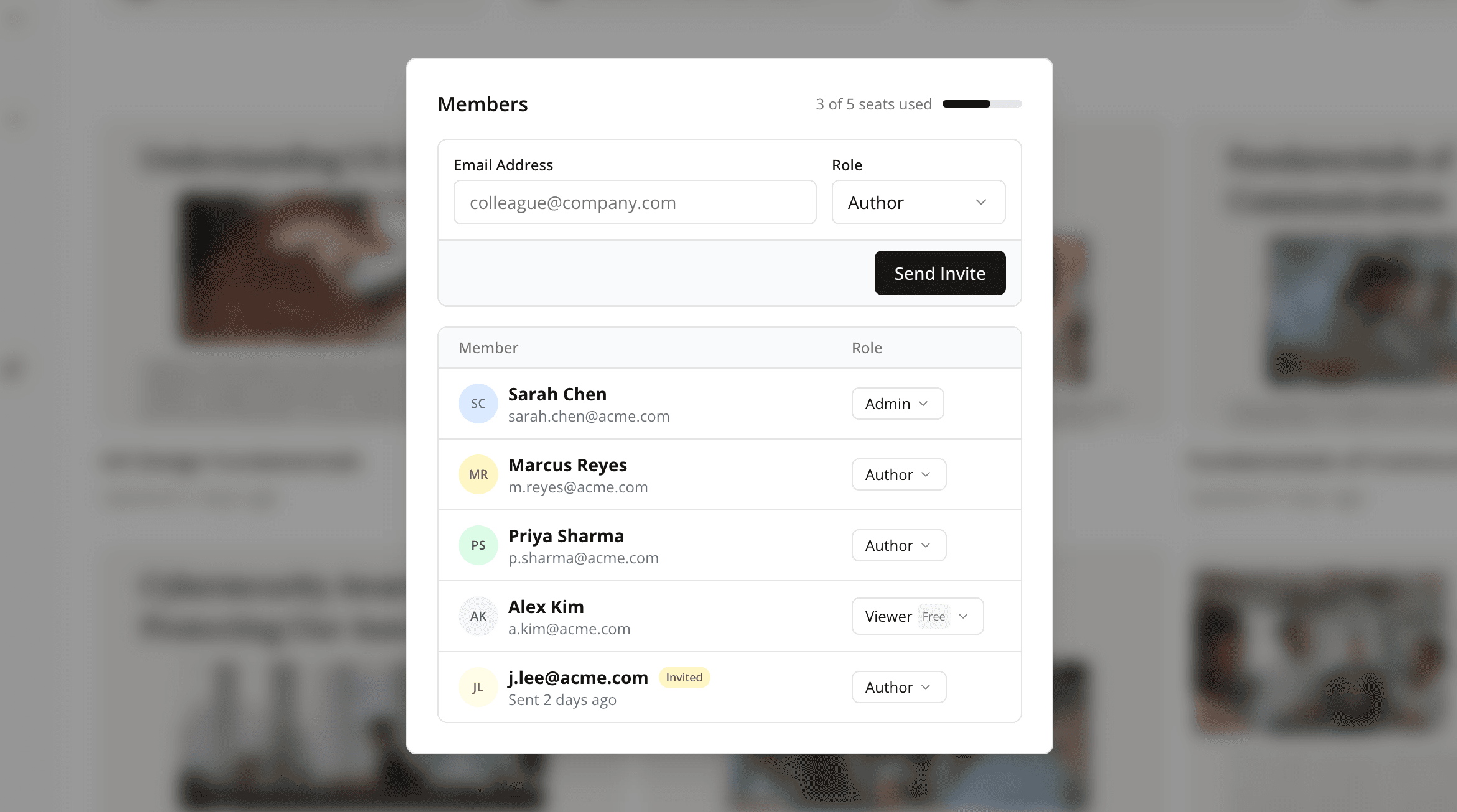
Permissions & access control
Control who can edit, review, or just view. Role-based permissions keep your content secure without slowing down collaboration.
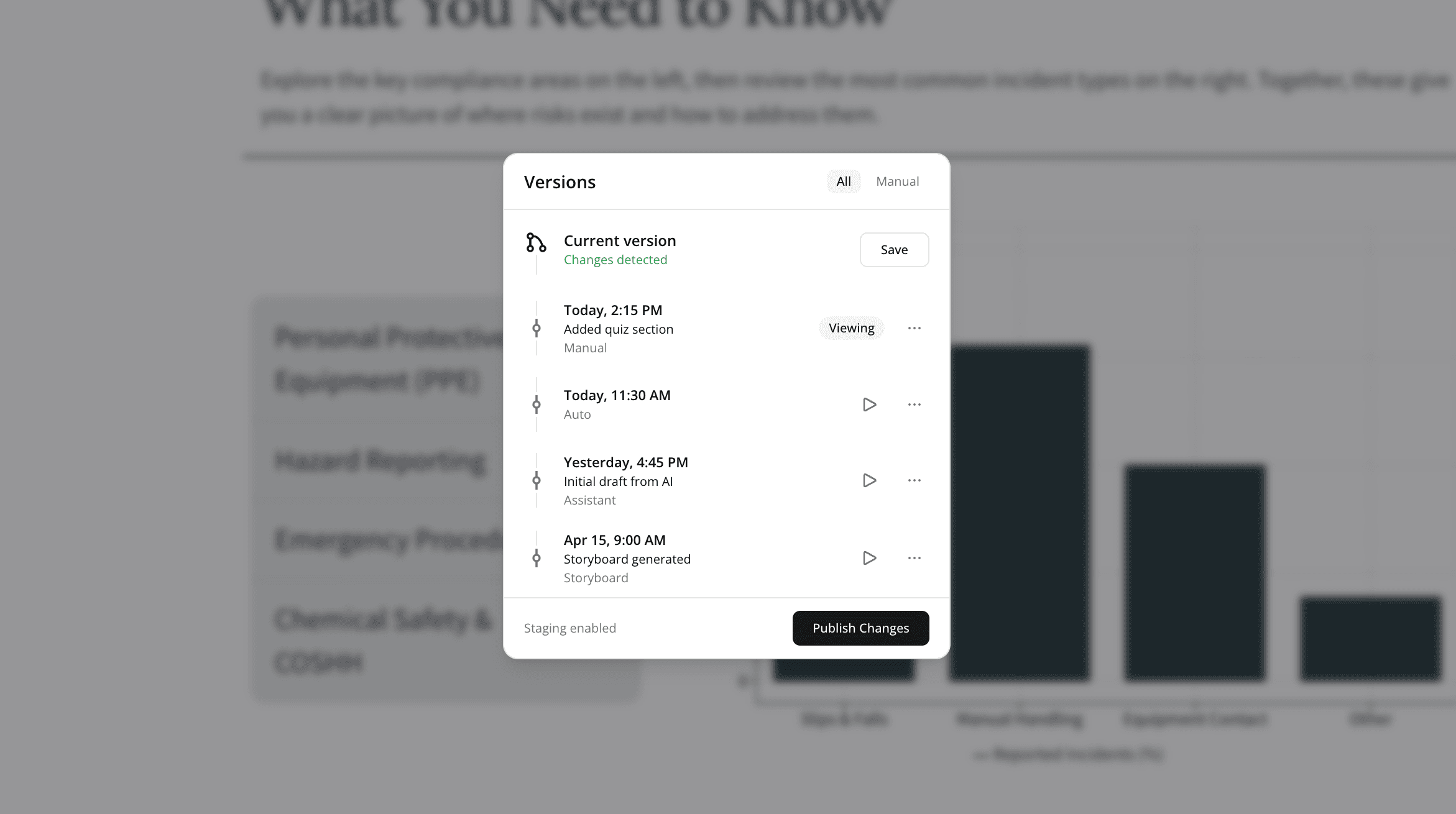
Version history & snapshots
Mindsmith automatically saves version snapshots as you work. Roll back to any previous version if an edit goes sideways. Experiment freely.
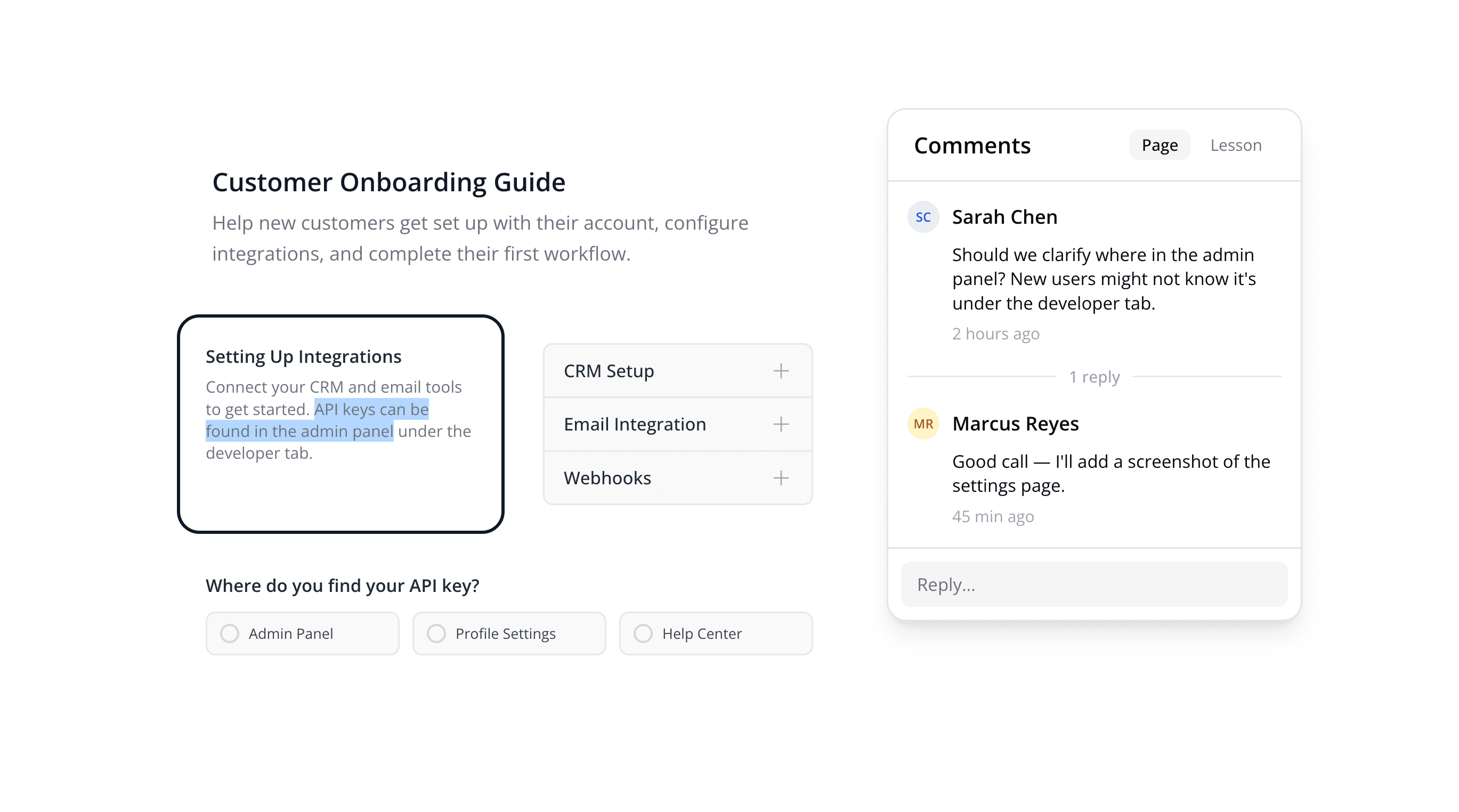
Review & comment workflows
Share a review link with stakeholders. They can leave comments directly on specific elements — no more "see page 12, third bullet" in email threads.
Professional, on-brand content — without a designer
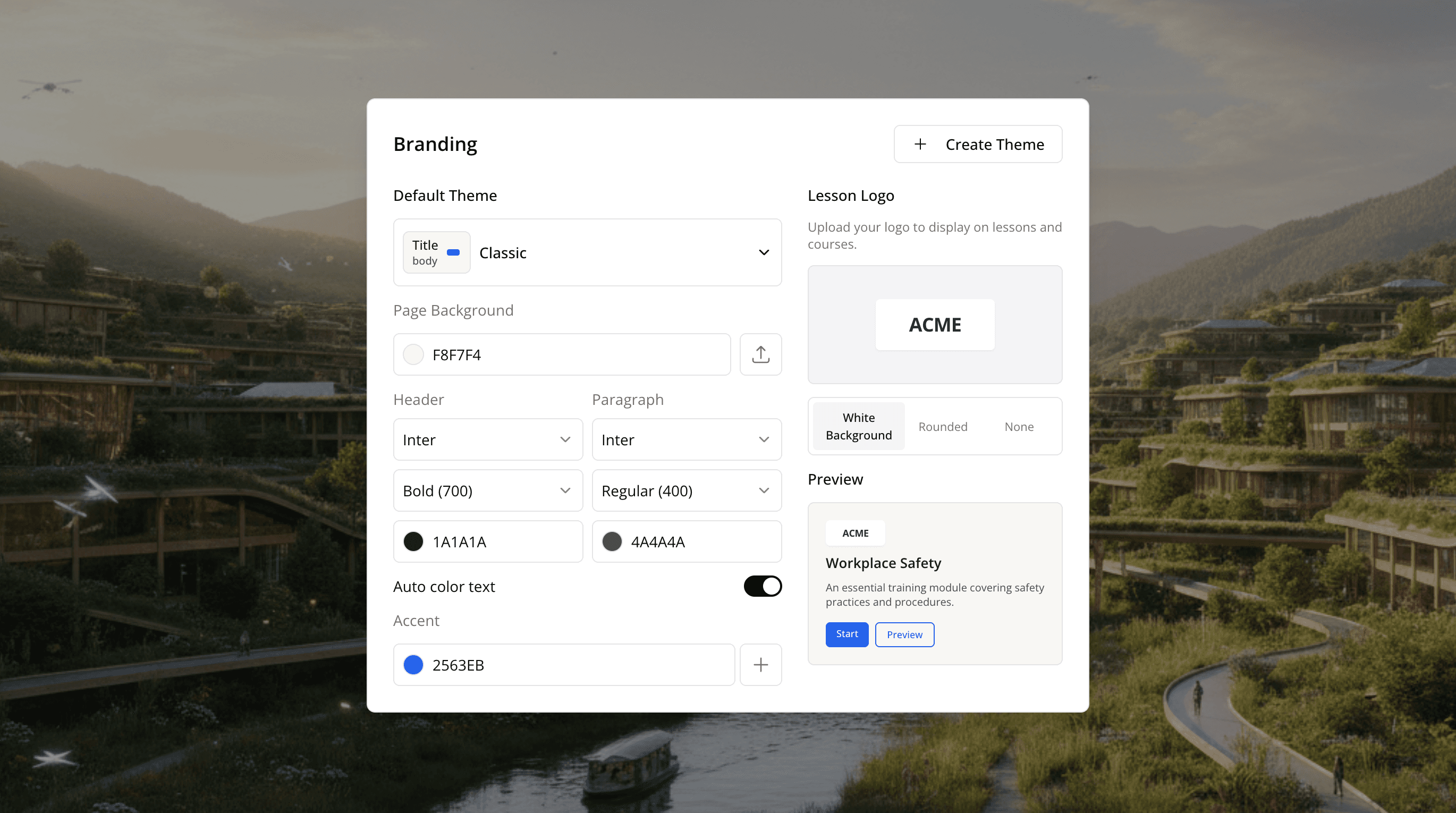
Mindsmith's Smart Branding Engine applies your brand identity across every lesson automatically. Set your colors, fonts, logo, and button styles once, then every new lesson starts on-brand.
- Set your brand kit once, every new lesson starts on-brand automatically
- Customize colors, fonts, logos, and button styles globally
- Override themes per-lesson when a different look is needed
- Built-in contrast and dark mode support for accessible designs
Organize content into structured courses
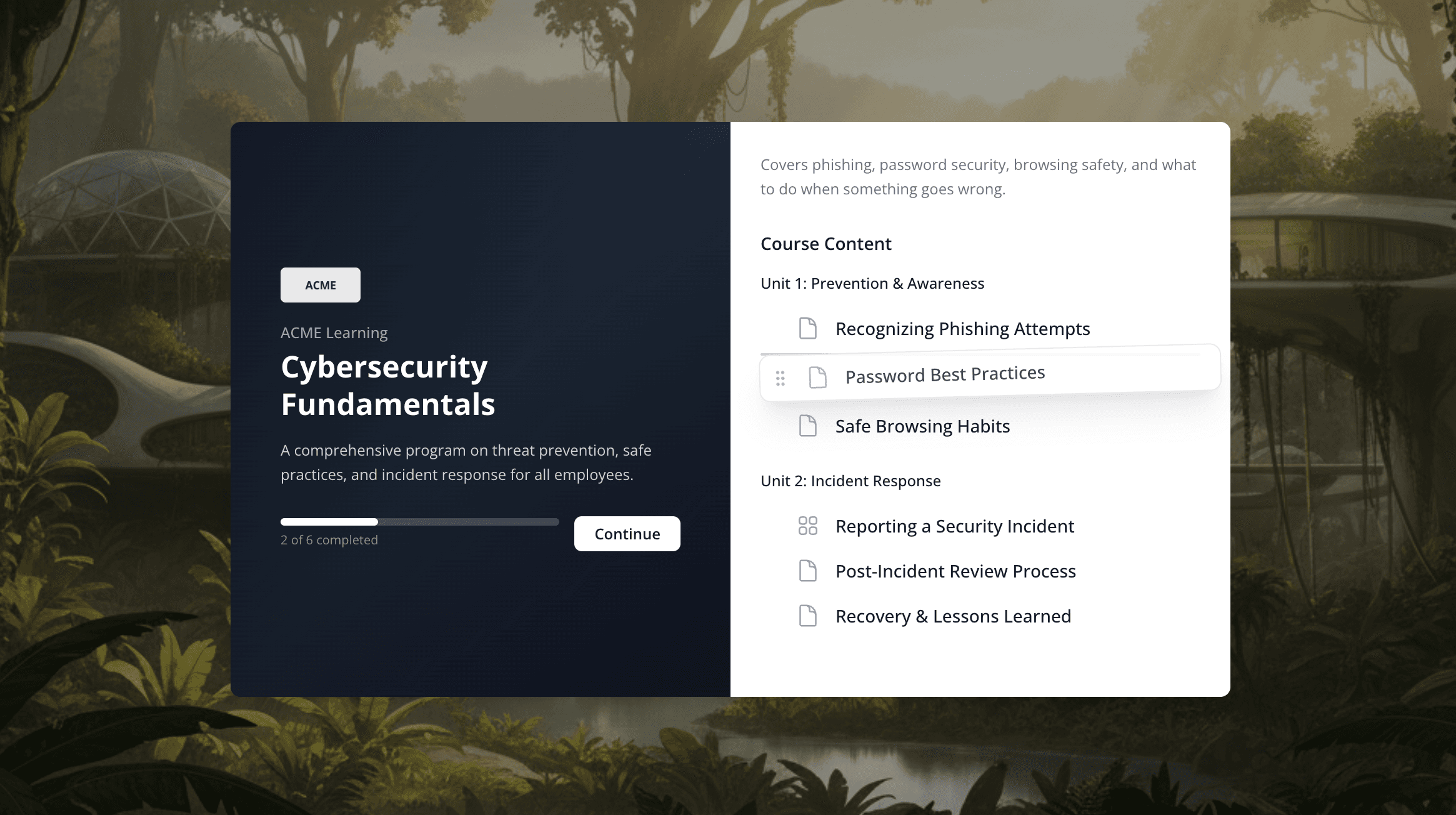
Build structured courses with units, drag-and-drop ordering, and a visual overview. Mindsmith's AI can generate an entire course structure from your source documents, or build it manually.
- Organize content into units with drag-and-drop reordering
- Upload documents and let AI draft your course outline
- Manage courses visually in grid or list view
Looks great on desktop, tablet, and mobile — automatically
Every lesson is responsive out of the box. No separate mobile version to maintain.
Trusted by leading
eLearning teams
“The biggest draw for me is the flexibility and scalability Mindsmith offers. It's something I've never seen before in a learning platform. This tool has significantly improved my workflow.”
Satarla
Miranda